One Canvas, 12 Photos, 3 Videos: A Complete AI Product Visual Workflow
How we used AI as a creative director to generate a full product visual campaign — from concept to photos to videos — in a single 18-minute canvas session.
March 19, 2026
•By VibeArt Team•
10 min read
•— views
What if you could go from a blank canvas to a full set of product visuals — studio shots, lifestyle scenes, macro details, splash photography, cinematic videos, and lifestyle mockups with people — all in under 20 minutes?
That's exactly what we did. Not by replacing a photographer or a production team, but by using AI to rapidly explore creative directions before committing to any single one. Think of it as a visual brainstorm on steroids: fast, multimodal, and entirely iterative.
Here's the complete workflow, step by step, with every prompt and result shown.
The Method: AI Directing AI
The core idea is simple but powerful: use AI's text capabilities as a creative director, and AI's image and video capabilities as the production team.
Instead of writing prompts by hand, we asked Gemini to analyze our product and generate professional marketing prompts — complete with lens specs, lighting setups, and composition rules. Then we executed those prompts visually, all on a single canvas.
The result: a structured, repeatable workflow that anyone can follow.
Phase 1: Create the Product (2 minutes)
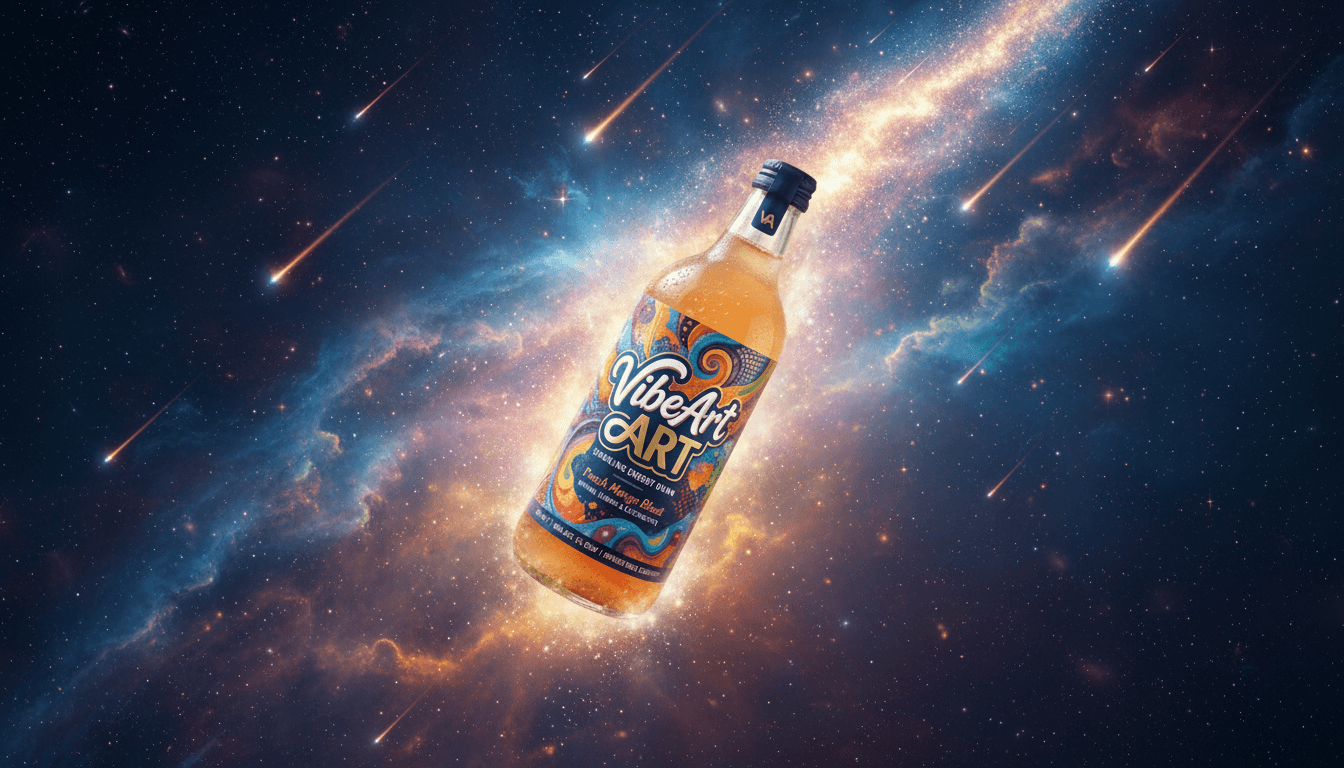
Every campaign starts with a product. We generated ours from scratch — a fictional sparkling energy drink called "VibeArt" with a psychedelic label and peach-colored liquid.
Step 1: Generate the concept
Design a beverage bottle for a drink called "VibeArt"
One generation gave us a vibrant bottle with swirling neon colors — exactly the kind of eye-catching product design that would work across multiple marketing contexts.
Step 2: Convert to a reusable prototype
The concept image had artistic flair but wasn't ideal as a reference for consistent product shots. So we refined it:
Convert this to a prototype photography that can be used
in other images as raw material
This gave us a clean, well-lit product photo — our reference anchor for everything that followed. Every subsequent generation would use this image to maintain visual consistency.
Phase 2: AI as Creative Director — 6 Marketing Scenes (4 minutes)
Here's where it gets interesting. Instead of manually crafting prompts for different marketing scenarios, we asked Gemini to think like a creative director.
Step 3: Generate a marketing system prompt
We selected the prototype image and asked:
Generate a system prompt that can generate proper marketing images
for a reference image. The system prompt should generate 6 different
sub-prompts to sell the product.
Gemini returned a comprehensive creative brief defining six distinct marketing photography categories:
The Minimalist Hero — Studio shot, Apple-style clean aesthetics
The Lifestyle — Product in a relatable, aspirational context
The Macro Detail — Extreme close-up showing craftsmanship
The Action/Dynamic — High-speed splash and motion
The Editorial/Atmospheric — Moody, cinematic lighting
The Flatlay/Social Media — Instagram-ready top-down composition
Each came with specific technical parameters: lens choices (Phase One XF 80mm, 100mm macro), aperture settings (f/1.4 for bokeh, f/11 for deep focus), and lighting setups (softbox strips, dual-tone neon, natural window light).
Step 4: Apply the brief to our product
The system prompt then generated six tailored prompts specifically for the VibeArt bottle — referencing its psychedelic label colors, peach-colored liquid, and glass texture. Here's one example:
A cinematic editorial shot of the VibeArt bottle in a dark, moody setting.
The bottle is lit by a dual-tone neon light setup — hot pink from the left
and electric blue from the right — mimicking the colors of the psychedelic
label. Deep shadows and a light haze of smoke in the background. The glass
edges glow with neon rim lighting. 50mm f/1.4, teal and orange color
grading, sleek and "Night City" aesthetic.
Step 5: Split and generate in batch
We split the six prompts into individual canvas nodes, selected the product prototype as a reference image, and generated all six at once:
Six images, six completely different marketing angles, one batch generation. Each image maintains the VibeArt bottle's core design while placing it in a distinct visual context.
Phase 3: From Still to Motion — 3 AI Videos (4 minutes)
Static images are great for print and web, but modern marketing demands motion. We used the same "AI directing AI" approach to generate product videos.
Step 6: Generate video prompts
We selected one of the dynamic images and asked:
Generate a video prompt to show the dynamic feel of this product
Gemini returned three video concepts with detailed cinematography direction:
High-Speed Impact — Bottle crashing into water at 1000fps slow motion
Psychedelic Flow — Spinning bottle with label patterns bleeding into liquid
Macro Refreshment — Water droplet close-up pulling back to reveal full splash
It even included practical tips: negative prompts to avoid (blurry, distorted text), motion slider recommendations (7-8 for energetic products), and key colors to maintain (orange, amber, teal, neon purple).
Step 7: Split and generate I2V
We split the three prompts into separate nodes, selected a static image as the starting frame, and generated all three videos using Veo 3.1 Fast (Image-to-Video):
High-speed impact — the bottle crashes into dark water with crystalline droplets frozen in mid-air
Psychedelic flow — label colors bleed into swirling liquid with rapid light leaks
Macro refreshment — extreme close-up pulls back to reveal the bottle amid splashing water
The key here: we didn't need to storyboard, hire a videographer, or rent a studio. We went from "I want dynamic product videos" to three rendered clips in under four minutes.
Phase 4: Adding People — 3 Lifestyle Scenes (4 minutes)
Product-only shots establish the brand, but people shots create emotional connection. We ran one more round.
Step 8: Generate people-in-scene prompts
Generate a system prompt that adds some person with the product
for marketing, try your best and with marketing best practice
Gemini returned three concepts, each targeting a different audience segment and grounded in marketing psychology:
Urban Creative — Gen-Z streetwear aesthetic, graffiti backdrop, for Instagram
Golden Hour Refreshment — Summer lifestyle, natural warmth, for broad-reach ads
Studio Art Director — Premium, minimal, product-focused with human context, for website banners
It annotated each with marketing rationale: "Product Heroing" (keep the bottle as focal point even with a person), "Emotional Connection" (use "mid-laugh" not "posing"), and "Appetite Appeal" (mention condensation to trigger thirst response).
Step 9: Split and generate with prototype reference
We split the prompts, selected the product prototype as reference to maintain bottle consistency, and generated three people shots:
When Gemini generates a marketing prompt, it doesn't just say "product on table." It specifies "Phase One XF, 80mm lens, f/11, softbox strips creating vertical white highlights along the glass." This level of technical photography knowledge produces consistently better results than generic prompts.
2. Splitting and batching turns one idea into many
The "generate a brief → split into individual prompts → batch generate" pattern is the core multiplier. One creative direction becomes six — or twenty — variations instantly. This is where iteration speed becomes a competitive advantage.
3. Multimodal generation keeps everything in one place
Text prompts, images, and videos all live on the same canvas. You don't switch between tools or lose context. When you want to turn a still image into a video, you select it and go. When you want to add people, you reference the original prototype and go.
4. The creative director is reusable
The system prompt Gemini generated isn't a one-time artifact. You can apply the same "6 marketing photography categories" framework to any product — a watch, a sneaker, a SaaS dashboard screenshot. The methodology transfers; only the subject changes.
What This Is (and Isn't)
This workflow is a creative exploration tool. It's for rapidly visualizing directions, testing compositions, comparing moods, and building conviction about where to invest real production resources.
It's not a replacement for professional photography when you need pixel-perfect brand assets for a global campaign. But it is a dramatically faster way to answer questions like:
"What would our product look like in a neon editorial setting?"
"Should we go with a clean studio approach or a lifestyle scene?"
"What kind of video style fits our brand energy?"
"How would the product look with different audience segments?"
Questions that used to require mood boards, creative briefs, and days of back-and-forth now have visual answers in minutes.
Try It Yourself
The entire workflow described in this article was done on VibeArt's canvas using Gemini 3.1 Flash for both text and image generation, and Veo 3.1 Fast for video.
Here's the recipe:
Generate or upload your product image
Ask Gemini to write a marketing system prompt (or reuse ours)
Apply the system prompt to generate scene-specific prompts
Split the prompts and batch-generate with your product as reference
Pick your favorites and generate videos with Image-to-Video
Iterate on the directions that resonate
Ready to run your own visual campaign?Open a new canvas and start with step one. Every new account includes free credits to explore.